
RestedXP for WoW Forever: Missing Guides and Import Fixes
RestedXP Forever guide missing or not importing? Check the purchase account, Battle.net identifier, export string and guide list, in that order.
 Enlarge
If RestedXP opens in WoW Forever but your purchased guide is missing or will not import, the cause is almost always one of three things: the account, the exported file or the guide list. Check them in that order below. Reinstalling the addon will not fix any of them, so you can skip that step.
Guides are there but the addon misbehaves? For a missing window or arrow, skipped or stuck steps, a full quest log or addon conflicts, see RestedXP not working in WoW Forever. This page covers purchases, accounts and imports.
This guide covers RestedXP v4.11.27, released on 21 October 2026 and listed for Forever 1.60.1 by CurseForge. The controls below match that release's public source, checked on 22 October 2026.
Find where the guide disappears
Write down the expected guide's name, faction and level range before changing anything. Then follow the row that matches what you can see.
| What you see | Check first | Next action |
|---|---|---|
| RestedXP works, but your purchased guide has no download in your account | The website login and the order's product and faction | Resolve the account or order with RestedXP before attempting another import. |
| An export is available, but importing it produces an error | The exact error and a fresh copy of the complete export | Use the import checks below. |
| The import completes, but the expected chapter is absent | The imported group, character context and current release notes | Check for a guide-list fix or a route that is still being developed. |
| You expected levels 35–60 or a planned feature | RestedXP's release roadmap | Forever 35–60 releases after launch; use the Era routes for 35–60 until then. |
Check the purchase account and Battle.net identifier
Open your RestedXP account and check that the relevant order and download belong to that login. Check the product name and faction rather than assuming any RestedXP purchase includes every guide.
For purchased guides, the publisher's setup manual also requires the account's Battle.net identifier. Compare the identifier shown there with the Battle.net account you are using. If it is wrong or has changed, ask RestedXP to resolve the account association. Do not try to repair it by editing the exported string.
The free addon alone does not include the paid Forever routes. Our free addon and paid guide explainer covers what each package includes. If you already bought a guide and it is missing from your login, contact RestedXP rather than buying it again.
Can I import another player's guide export?
Use an export from your own RestedXP account. The publisher's setup manual binds purchased guides to the configured Battle.net account, and the current loader checks that association. Another player's file is not a reliable way to check your access: an account mismatch can stop it loading even when the addon itself works. If you need to correct your own account association, contact RestedXP support before exporting again.
How to import a RestedXP Forever guide
Once the account shows the expected download:
- In the account's Downloads area, use Export for the guide you intend to use.
- Open the downloaded text file and copy its complete contents. Avoid a chat repost, screenshot transcription or text editor selection that captures only part of the file.
- In game, right-click the RestedXP overlay and choose Import guide from its guide menu. Wait until combat has ended if the window cannot open immediately.
- Paste the string into the importer, then use Import. Read the resulting status before attempting another copy.
The current importer deliberately displays at most 150 characters of the pasted buffer. Its status reports how many characters were loaded and how many are shown. A short visible preview therefore does not, by itself, mean your clipboard lost the rest of the export. Check that status before repeatedly replacing the same string.
After a successful import, Show imported guides lets you inspect imported entries and their versions. This is an administrative list: the adjacent Delete and Purge controls remove content. Purge clears all guides from the database; it is not a way to activate a missing route. Return to the normal guide menu to use a route.
Match the error to the next check
These checks follow the current importer and guide loader.
| Error or symptom | What to do |
|---|---|
| Account mismatch | Recheck the Battle.net association, then obtain a fresh export from your own account. An error alone does not establish whether an order is missing. |
| Incomplete or invalid encoded string | Download the export again and copy the whole file. Keep the original file intact rather than adding or removing characters. |
| Incompatible guide version | Update the addon and obtain the current export. Do not change version numbers inside the string. |
| Battle.net unreachable | Follow the importer's recovery instruction: exit the game client, restart Battle.net and try again. |
| A Lua error during import | Record the error and addon version. If a fresh export still fails, send the details to support instead of repeatedly purging guides. |
A missing chapter can be a release issue
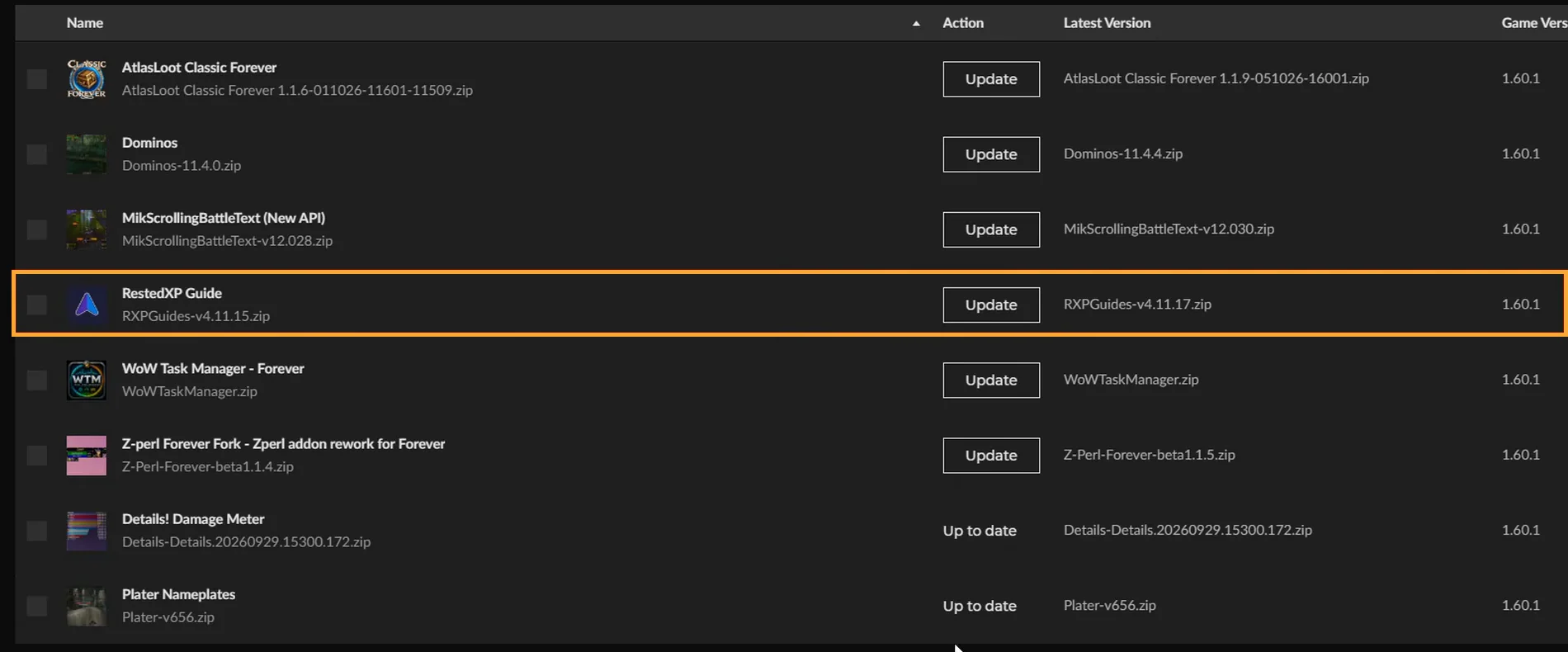
The v4.11.27 release notes specifically fix a missing Silverpine entry in the Skyborne dungeon guide and the Night Elf Speedrun guide list for Forever. If either case matches your character, update the addon first.
Coverage is a separate question. RestedXP's 9 October Forever update reported its 1–35 guides complete and dungeon work underway. Its roadmap, checked on 26 October 2026, puts the Forever 35–60 routes after the 4 November launch, with the existing Era routes covering 35–60 in the meantime. A chapter above 35 that is not in the Forever group yet has not been released, so no import will add it.
Send support a reproducible report
If the order is present, the account association looks correct and a fresh export still fails, contact RestedXP support. Include the expected guide name, faction, race, class and character level; the addon version; your Forever client version; the full error; and whether the export was downloaded again.
For account issues, provide order details privately through the publisher's support process. Keep passwords and the exported paid guide string out of public posts. A screenshot of the error and guide list gets you a faster answer than another reinstall.
No Forever guide yet? The Forever leveling routes cost $30 per faction or $45 for both, and our link takes 10% off automatically Affiliate link.
Frequently asked questions
Why is my RestedXP Forever guide not showing?
Most often the guide was bought on a different RestedXP login, the Battle.net identifier in your account does not match the account you play on, or the export was not imported. Check the account and Battle.net identifier first, then import a fresh export.
Why can't I find Forever chapters above level 35?
RestedXP releases its Forever 35–60 routes after launch. Until then, the existing Era routes cover 35–60.
Sources
- Getting Started – Community – RestedXP
- RXPGuides/UI/V2/GuideImporter.lua at v4.11.27 · RestedXP/RXPGuides · GitHub