
Questie has an official WoW Forever release. Start with the maintained Questie project, install its required QuestieDB component and check a quest you already have before relying on its map pins for your next destination.
A loaded addon can still have incomplete quest information. That distinction matters in Forever, where new quests and availability conditions are still being documented.
Which Questie release supports Forever?
The developer's release listing checked on 17 October 2026 shows Questie 12.1.0 with QuestieDB 1.0.6, released October 12. Its notes include a Forever database refresh from October 10, current Forever dungeon entries and fixes for quest-item announcements and tooltips.
Choose the official release rather than an older experimental port found in a forum reply. Keep the addon and database versions together in your installation notes so a later update is easy to check.
Check both parts of the installation
Questie's database is a separate addon, as explained in the project's database split documentation. Use the supported release package and retain its required components.
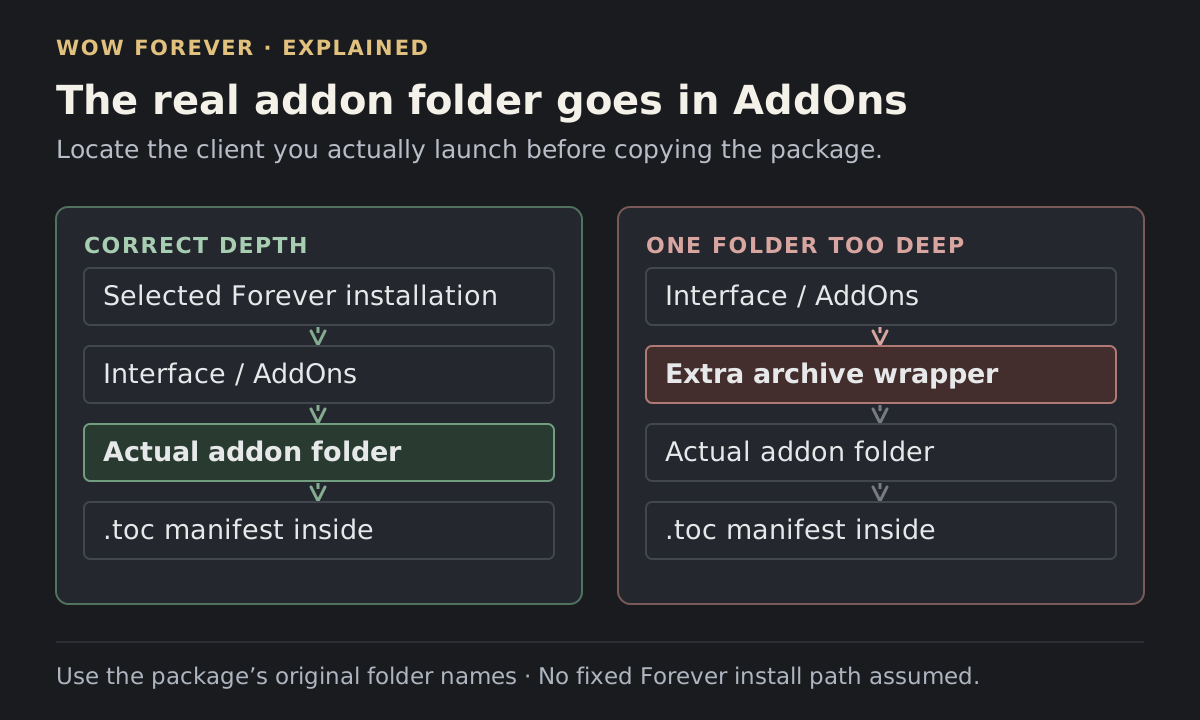
After installation, fully restart Forever. Inspect the AddOns list for a missing dependency or disabled component. If Questie is not listed at all, return to the file location and folder structure before changing map filters.
Once logged in, find Questie's settings through its addon or minimap entry. The 12.0.4 release introduced minimap status information with client and source-load diagnostics. If your version exposes that information, include it when reporting a loading problem.
 Enlarge
Check one quest from pickup to hand-in
Use a quest you can read in the game's own log. You are checking a sequence of visible events:
- Compare the quest title in your log with the quest shown by Questie.
- Read the current objective and inspect the proposed map location.
- Complete an objective and check whether the displayed progress follows it.
- Check the suggested hand-in against the completed quest's instructions.
If the sequence disagrees at one point, note that point. “The pickup pin is wrong” gives the author a more useful starting place than “Questie is broken.”
When planning a longer session, use the Forever leveling overview alongside the quest text. A display of available quests does not decide which activity you want to prioritize.
Why a quest can be missing or unavailable
The maintainers' pinned Forever issue explains that new quests need database entries and manual checks of their availability conditions. Those conditions are not always known immediately.
Check what the game currently offers your character. Record your level, faction, class and any relevant completed prerequisite. Include which quest giver you visited and whether the quest appeared in their conversation.
Avoid abandoning a chain solely because an addon pin suggests another step. Compare the title and objective with the game's log and the quest giver first. Reinstalling the same database cannot establish an eligibility condition that has not yet been documented.
Separate a data mismatch from an addon conflict
If pins disappear broadly or the interface produces errors, test Questie and its required database with other addons temporarily disabled. Keep your existing settings and files backed up; this check does not require wiping your saved variables.
If only a particular quest disagrees while the rest of the display works, collect a focused report:
- Forever client build and both addon versions.
- Quest title or ID, if available, plus your level, faction and class.
- The expected pickup, objective or hand-in and what appeared instead.
- A screenshot or exact error text, with personal chat hidden.
Attach the smallest clear reproduction you can provide. The maintainers also offer the optional QuestieTrace tool for contributing data; reading and following a quest does not require joining that collection effort.